
How-to
Convert OPC DA to MQTT
A practical guide to reading data from an OPC DA server and publishing it via MQTT.
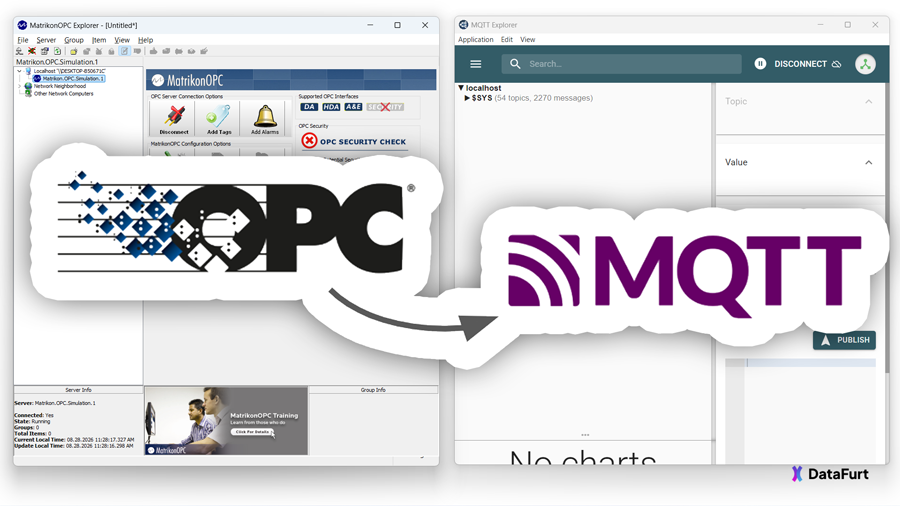
Why convert OPC DA to MQTT?
OPC DA is still widely used in industrial automation. Many PLCs, SCADA systems, HMIs, historians, and vendor-specific applications expose their data through an OPC DA server. While this works well inside traditional Windows-based automation systems, it becomes increasingly difficult to integrate that data with modern software.
Today, many applications expect data to be available through MQTT. Cloud platforms, dashboards, databases, analytics tools, and custom applications can all consume MQTT messages.
By converting OPC DA to MQTT, you can make data from existing automation systems available to virtually any modern application. The MQTT endpoint may be a traditional broker such as HiveMQ, EMQX, or Eclipse Mosquitto, or an edge or cloud platform such as AWS IoT Core, AWS IoT Greengrass, or Azure IoT Operations.
Why is it often more difficult than expected?
The challenge is usually not OPC DA itself—it is running OPC DA across machine boundaries.
Unlike modern protocols such as MQTT or OPC UA, OPC DA is based on Microsoft's COM/DCOM technology. As soon as the OPC DA client and server communicate across different machines, Windows has to handle authentication, permissions, and remote object communication. This often turns what should be a simple connection into a lengthy configuration exercise.
Typical challenges include:
- Opening port 135 and dynamic RPC ports in the firewall.
- Configuring Launch and Access permissions in
dcomcnfg. - Dealing with Windows authentication and DCOM security settings.
- Configuring communication across workgroups, domains, and firewalls.
These are necessary steps for remote OPC DA communication, but they don't contribute to your actual goal: getting the data into MQTT.
A simpler approach
Instead of trying to expose OPC DA across the network, a simpler approach is to run the OPC DA client on the same machine as the OPC DA server. In this setup, all OPC DA communication remains local and never has to cross machine boundaries. The data can then be forwarded to an MQTT broker over a single outbound connection.
DataFurt Bridge is a lightweight tool that implements exactly this approach. It reads data from a local (or remote) OPC DA server and publishes it to any MQTT broker. When installed on the same machine as the OPC DA server, no DCOM configuration is required between your automation system and the rest of your infrastructure.
If running locally is not possible—for example because the OPC DA server is hosted on a locked-down engineering workstation—DataFurt Bridge can also connect to a remote OPC DA server over standard DCOM. In that case, DCOM only has to be configured for this single connection, while everything downstream continues to use MQTT.
Step by step
1. Download & unpack
Download the Windows package (OPC DA is only available on Windows, since it relies on COM/DCOM) and unpack it on the machine running your OPC DA server (alternatively, on a separate machine for remote access).
| Platform | Architecture | Download | Size |
|---|---|---|---|
| Windows | x86 | df-bridge-1.4.1-win-x86.zip | 30 MB |
| Windows | x64 | df-bridge-1.4.1-win-x64.zip | 32 MB |
Note: You may see a warning before downloading or starting the application. This is caused by reputation-based security features. If you download DataFurt Bridge from this website, you can safely proceed.
2. Configure
Edit the included config.toml to point to your OPC DA server and MQTT broker. This example reads
a couple of items from a local OPC DA server and publishes each of them to its own MQTT topic:
[source]
type = "opcda"
prog_id = "Kepware.KEPServerEX.V6"   # Programmatic identifier of the OPC DA server
# host = "MyRemoteServer"            # Remote OPC DA server host (if required)
items = [                            # List of OPC DA items to read
  "Plant1.Boiler01.Temperature",     # ...
  "Plant1.Boiler01.Pressure"         # ...
]                                    # ...
update_rate = 1000                   # Update rate in milliseconds
quality_filter = "good"              # Only process items with a good OPC quality status

[target]
type = "mqtt"
protocol_version = "5.0.0"           # MQTT protocol version ("3.1.1" or "5.0.0")
host = "mqtt.intranet.datafurt.com"  # MQTT broker host
secure = true                        # Use secure connection (TLS) on default port 8883
username = "test"                    # Authentication username for the MQTT broker
password = "..."                     # Only for testing; use 'passwordEnv' for production
Feel free to modify the configuration to suit your needs.
3. Start
A double-click on df-bridge.exe is enough. However, it is better to launch it from the command
line and set the log level to debug to see detailed information:
./df-bridge.exe --log-level debug
DataFurt Bridge then connects to the OPC DA server and starts publishing the configured items to MQTT.
You can stop it by pressing Ctrl+C in the terminal where it is running.
[12:37:48 WRN] You are using a plain config value for password. This is not secure. Consider using an environment variable instead.
[12:37:48 INF] MQTT client initialized for mqtt.intranet.datafurt.com:8883
[12:37:48 INF] OPC DA client initialized for Kepware.KEPServerEX.V6
[12:37:48 WRN] No valid license found (license.txt missing). Running in trial mode with message limit of 10000.
[12:37:48 INF] Try connecting MQTT client to mqtt.intranet.datafurt.com:8883 as df-bridge-7fd23683-592e-4001-a4ea-8f5c1de2d974 using protocol V500...
[12:37:48 INF] MQTT client connected.
[12:37:48 INF] Try connecting OPC DA client to Kepware.KEPServerEX.V6...
[12:37:48 INF] OPC DA client connected.
[12:37:48 DBG] OPC DA item registered: Plant1.Boiler01.Temperature
[12:37:48 DBG] OPC DA item registered: Plant1.Boiler01.Pressure
[12:37:48 INF] DataFurt Bridge is running.
[12:37:49 DBG] Received message on Plant1.Boiler01.Temperature: 32.696
[12:37:49 DBG] Sent message to Plant1.Boiler01.Temperature: 32.696
[12:37:49 DBG] Received message on Plant1.Boiler01.Pressure: 100145
[12:37:49 DBG] Sent message to Plant1.Boiler01.Pressure: 100145
...
4. Improve MQTT topic structure
You may have noticed that the MQTT topics are directly derived from the OPC Item names (like
Plant1.Boiler01.Temperature) . This is far away from ideal, since MQTT topics are usually
structured hierarchically with slashes instead of dots.
Luckily, DataFurt Bridge allows you to transform the MQTT topic structure (and more) using a JavaScript Transformer function. In order to do that, just add the JavaScript transformer script to the source section of your configuration file...
[source]
type = "opcda"
...
transformer = "my-transformer.js"
...

[target]
...
... and create a my-transformer.js in the same directory the others files reside. Put this simple
JavaScript code into it:
function transform(message, previousMessage) {
  message.Channel = "Org1/" + message.Channel.replaceAll(".", "/");
}
It just prepends Org1/ to the item name and replaces all dots with slashes, effectively
transforming the OPC Item names into a hierarchical MQTT topic structure.
Plant1.Boiler01.Temperature → Org1/Plant1/Boiler01/Temperature.
(Re)start DataFurt Bridge to apply the changes. Et viola:
...
[12:42:36 INF] DataFurt Bridge is running.
[12:42:37 DBG] Received message on Plant1.Boiler01.Temperature: 32.431
[12:42:37 DBG] Sent message to Org1/Plant1/Boiler01/Temperature: 32.431
[12:42:37 DBG] Received message on Plant1.Boiler01.Pressure: 100141
[12:42:37 DBG] Sent message to Org1/Plant1/Boiler01/Pressure: 100141
...
Learn more about Transformer and everything else in the DataFurt Bridge documentation.
Conclusion
As this guide has shown, converting OPC DA to MQTT doesn't have to be complicated. Once the connection to your OPC DA server is configured, publishing data to an MQTT broker only requires a small configuration file and a few minutes of setup.
Whether you want to integrate a legacy PLC, SCADA system, or industrial application with modern MQTT-based software, DataFurt Bridge provides a straightforward solution without requiring changes to the existing automation system.